Frontend Project
Beany House
A warm cafe and roastery site built to feel like a real small business website, not a one-page demo.
Overview
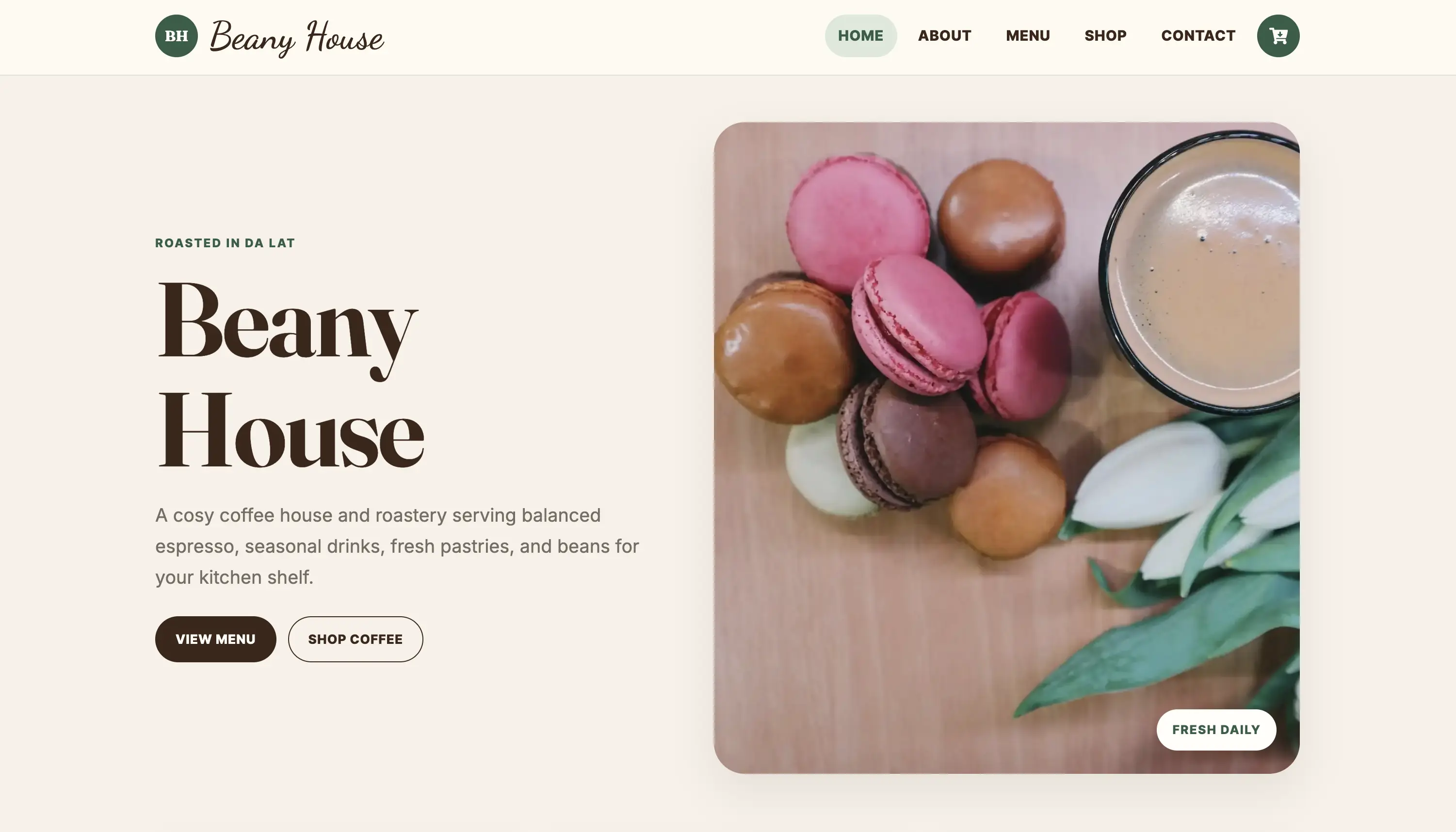
Beany House is a React and Gatsby storefront for a cosy coffee shop and roastery. I built it around the way someone would actually use a cafe website: check the vibe, browse the menu, shop coffee or gear, open a product page, and get in touch.
I did not want this to feel like a pretty homepage with nothing behind it. The project needed real browsing paths, reusable React components, structured local data, responsive layouts, and small UX details that make the site feel finished.
What I Built
- Homepage with clear routes into the Menu and Shop
- About page with a simple brand story
- Filterable Menu page for drinks, tea, and bakery items
- Filterable Shop page for coffee, accessories, and brewing equipment
- Product detail pages with quantity controls and Add to Bag actions
- Contact page with accessible form fields
- Reusable cards, buttons, product sections, and layout patterns
Technical Approach
I used local data files for the menu and shop content because the project did not need a CMS. That made the code easier to review while still showing structured data rendering in React.
Menu items and products are stored with categories, descriptions, prices, images, and slugs. The same data powers the listing pages, filters, product cards, and product detail pages, so the content stays consistent across the site.
- Gatsby handles static pages and routing
- React components keep repeated UI patterns consistent
- Gatsby Image supports responsive images
- Gatsby Head handles page metadata
- Netlify handles deployment
UX and UI Decisions
The design uses warm coffee tones, cream backgrounds, soft green accents, and clear section blocks. The goal was to make the site feel calm and friendly without making it look overdesigned.
The Menu and Shop pages use filters because visitors usually arrive with a specific intent. They may want coffee, bakes, accessories, or equipment, so the interface helps them narrow the page quickly.
Accessibility and Responsive Details
- Visible focus states
- Descriptive buttons and links
- Accessible form labels
- Keyboard-friendly navigation
- Touch-friendly controls
- Responsive card grids
- Image crops that hold up across breakpoints
- Important actions that do not rely on hover only
What I Would Improve Next
If I kept developing Beany House, I would add working form submission, full checkout setup, stock states, product option validation, tests for filters and product actions, and a final Lighthouse pass.